Elevate Your Flight Simulation Experience with the Engineerkiter Flight Overhead Panel
Our Product Insight
If you're a flight simulation enthusiast, you know that the right tools can significantly enhance your experience. The Engineerkiter Flight Overhead Panel is designed specifically for those who want to take their virtual flying to the next level. This plug-and-play multi-function control and display unit is compatible with various flight simulation games on the Windows platform, making it an appealing addition to your gaming setup.Key Features
Plug-and-Play Convenience
One of the standout features of the Engineerkiter Flight Overhead Panel is its plug-and-play functionality. This means you can set it up quickly without the hassle of complicated installations or configurations. Simply connect it to your PC, and you're ready to soar through the skies in no time.Multi-Function Control
This panel is not just a pretty face; it offers a range of multi-function controls that can be customized to suit your flying style. Whether you need to manage your throttle, landing gear, or various cockpit instruments, this panel provides a tactile experience that enhances your immersion in the simulation.
Compatibility with Popular Flight Simulators
The Engineerkiter panel is compatible with a wide array of flight simulation games, including popular titles like Microsoft Flight Simulator and X-Plane. This broad compatibility ensures that you can enjoy the panel regardless of your favorite simulation platform.
High-Quality Display
The panel features a high-quality display that provides clear visibility of essential flight information. This is particularly useful during intense flying sessions when you need to keep an eye on multiple parameters without taking your focus away from the simulation.
Who It's For
The Engineerkiter Flight Overhead Panel is ideal for a variety of users: - Flight Simulation Enthusiasts: If you’re passionate about flight sims, this panel can significantly enhance your experience, allowing for more realistic control and interaction. - New Pilots: For those just starting their journey in flight simulation, the intuitive layout and easy setup can help you get accustomed to cockpit controls without overwhelming you. - Professional Simulators: If you’re using flight simulations for training or professional purposes, the panel offers the functionality needed to replicate real-world flying conditions.Pros and Considerations
Pros
- Easy Setup: The plug-and-play design makes it accessible for everyone, regardless of technical expertise. - Enhanced Immersion: The tactile controls and display provide a more engaging flying experience. - Versatile Compatibility: Works with various flight simulation software, making it a flexible choice for users.Considerations
While the Engineerkiter Flight Overhead Panel has many strengths, there are a few things to keep in mind:
- Limited Customization: Some users may find that the panel's customization options are not as extensive as they would like, depending on their specific needs.
- Learning Curve: Although it’s user-friendly, new users might need some time to familiarize themselves with the layout and functionality.
In conclusion, the Engineerkiter Flight Overhead Panel is a solid addition to any flight simulation setup. With its plug-and-play convenience, multi-function controls, and high compatibility, it offers a unique way to enhance your flying experience. Whether you’re a seasoned pilot or just starting, this panel can help you navigate the skies with greater ease and enjoyment.
So, if you're looking to elevate your flight simulation experience, consider checking the Engineerkiter Flight Overhead Panel. It might just be the upgrade you've been waiting for!
If you're looking to take your flight simulation to the next level, consider the WYFTOY Flight Simulator Cockpit Panel, which offers essential controls for MSFS 2020/2024 on your PC. For those who enjoy a variety of aircraft, the Torquino Flight Simulator Cockpit Panels provide a versatile A107 A32X Overhead Panel that enhances your simulation experience. Don't miss out on the WYFTOY Display Unit Flight Control, a fantastic D101 Carrier Landing Switch Panel that integrates seamlessly with DCS World. If you want to add some flair to your gaming setup, the 2025 New Thumb Grip Silicone Cap is a cute accessory for your Switch joystick that adds both comfort and style. Lastly, the ARCELI Wireless Controller for PS-4 is an excellent choice for gamers seeking a responsive and comfortable gaming experience across multiple platforms. Check out the Torquino Flight Simulator Cockpit Panels, A107 A32X Simulator Overhead Panel for MSFS 2020/2024- Compatible with Multiple Aircraft Types, Flight Sim A for great value. Check out the WYFTOY Display Unit Flight Control, D101 Carrier Landing Switch Panel, USB Flight Simulator Controller for DCS World, Compatible with PC, Sim Cockpit for great value. Check out the 2025 New Thumb Grip Silicone Cap, Controller Accessories Joystick Caps for Swtich, Yellow Background with White Claws Pink Base with White Claws Cute for great value. Check out the ARCELI Wireless Controller for PS-4, Upgraded Controller Wireless for PS-4/Slim/PC, Bluetooth Gamepad Joystick with Dual Vibration/Touch Panel/ 3.5mm for great value.
More Products You Might Like

Thrustmaster T.Flight Full Kit X - High-Precision Flight Sti

Engineerkiter Flight Controls Panel OVHOverhead Panel for MS

Jeylly Original 3D Analog Joystick Joy-Con Replacement Left/

13 in 1 Metal Thumbsticks for Xbox Elite Controller Series 2
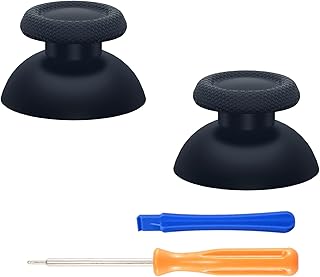
eXtremeRate Replacement Custom Joystick Analog Stick Compati
Disclaimer: This article has been generated through our AI content insight system and is intended for general informational purposes only. Please carry out your own research and review product details directly before making any purchase decisions.