Experience the Skies with the Logitech G X56 H.O.T.A.S Throttle and Joystick Flight Simulator Controller
Our Product Insight
The Logitech G X56 H.O.T.A.S Throttle and Joystick Flight Simulator Game Controller is designed for those who dream of soaring through the skies. Whether you're a seasoned pilot or a newcomer to flight simulation, this controller offers an immersive experience that can elevate your gameplay to new heights. With its sleek black design and RGB lighting, it’s not just a tool; it’s a statement piece for your gaming setup.Key Features
6 Degrees of Freedom
One of the standout features of the X56 is its 6 degrees of freedom capability. This means you can control your aircraft with precision, allowing for smooth maneuvers and realistic flight experiences. The joystick's design enables you to pitch, roll, and yaw with ease, making it perfect for both combat and civilian flight simulations.Customization at Your Fingertips
With 189 programmable controls, the X56 allows you to tailor your setup to fit your unique flying style. You can assign commands to buttons, switches, and dials, ensuring that everything you need is just a click away. This level of customization is particularly beneficial for complex simulations where quick access to controls can make all the difference.
Multiple Spring Options
The X56 comes with 4 spring options, giving you the flexibility to adjust the joystick’s resistance to your liking. Whether you prefer a stiffer feel for precise control or a lighter touch for casual flying, you can easily swap out springs to match your preferences. This feature enhances comfort during long gaming sessions, reducing fatigue and allowing you to focus on your flight.
RGB Lighting
The RGB lighting adds a fun and visually appealing element to the controller. You can customize the colors to match your gaming setup or mood, creating an immersive atmosphere that enhances your overall experience. Plus, the lighting can serve as a visual cue for different modes or settings, keeping you informed without taking your eyes off the screen.
Dual USB Connectivity
Equipped with 2 USB connections, the X56 ensures a stable and reliable connection to your PC. This feature is particularly useful if you want to connect additional peripherals or devices, making it a versatile addition to your flight simulation rig.
Who It's For
The Logitech G X56 is perfect for a wide range of users. If you’re a flight simulation enthusiast, this controller will likely become an essential part of your setup. Its extensive customization options and precision controls cater to both casual gamers and serious pilots alike.Additionally, if you enjoy combat flight simulators, the X56’s programmable buttons and 6 degrees of freedom make it an excellent choice for engaging in aerial dogfights or strategic missions.
However, it’s worth noting that while the X56 is packed with features, beginners may find the sheer number of controls a bit overwhelming at first. But with a little practice and exploration, you’ll soon be navigating the skies like a pro.
Pros and Considerations
Pros
- Precision Control: The 6 degrees of freedom allows for realistic flight maneuvers. - Extensive Customization: With 189 programmable controls, you can tailor the setup to your liking. - Comfortable Design: Multiple spring options help reduce fatigue during long sessions. - Visually Appealing: The RGB lighting adds a fun aesthetic to your gaming space.Considerations
- Learning Curve: Newcomers to flight simulation may need time to familiarize themselves with the controls.
- Space Requirements: The controller’s size might require a dedicated space on your desk.
In conclusion, the Logitech G X56 H.O.T.A.S Throttle and Joystick Flight Simulator Game Controller is a powerful tool for anyone serious about flight simulation. With its impressive features and customization options, it opens up a world of possibilities for both casual and hardcore gamers. If you're looking to enhance your flying experience, this controller is definitely worth considering. So, ready to take to the skies?
If you're looking to enhance your flight simulation experience, consider the WYFTOY Flight Simulator Cockpit Panel, which offers a realistic control interface for MSFS 2020/2024. The Torquino Flight Simulator Cockpit Panels are an excellent choice for those who want an overhead panel compatible with multiple aircraft types, taking your simulation to the next level. For a more immersive experience in DCS World, the WYFTOY Display Unit Flight Control provides essential controls like the Carrier Landing Switch Panel through USB connectivity. Don’t forget to check out the 2025 New Thumb Grip Silicone Cap, which adds a fun and personalized touch to your Switch controller while you navigate the skies. Lastly, the ARCELI Wireless Controller for PS-4 is a fantastic option for gamers who appreciate dual vibration feedback and a touch panel, perfect for those intense flight simulation sessions. Check out the Torquino Flight Simulator Cockpit Panels, A107 A32X Simulator Overhead Panel for MSFS 2020/2024- Compatible with Multiple Aircraft Types, Flight Sim A for great value. Check out the WYFTOY Display Unit Flight Control, D101 Carrier Landing Switch Panel, USB Flight Simulator Controller for DCS World, Compatible with PC, Sim Cockpit for great value. Check out the 2025 New Thumb Grip Silicone Cap, Controller Accessories Joystick Caps for Swtich, Yellow Background with White Claws Pink Base with White Claws Cute for great value. Check out the ARCELI Wireless Controller for PS-4, Upgraded Controller Wireless for PS-4/Slim/PC, Bluetooth Gamepad Joystick with Dual Vibration/Touch Panel/ 3.5mm for great value.
More Products You Might Like
![DIWANGUS Joystick Desk Mount For Thrustmaster T.16000m Fcs Hotas,No Installation Hotas Desk Mount For Logitech X56/X52/X52 Pro - 2 Piece [windows]](https://m.media-amazon.com/images/I/61OfxSShAIL._AC_UY218_.jpg)
DIWANGUS Joystick Desk Mount For Thrustmaster T.16000m Fcs H

Thrustmaster T.Flight Full Kit X - High-Precision Flight Sti

GameSir Cyclone 2 Wireless Controller - 1000Hz Polling Rate,
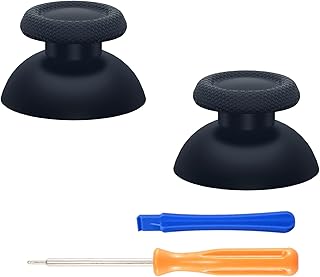
eXtremeRate Replacement Custom Joystick Analog Stick Compati

DIWANGUS UK 2-PACK Hotas Desk Mount, Joystick Mount for Flig
Disclaimer: This article has been generated through our AI content insight system and is intended for general informational purposes only. Please carry out your own research and review product details directly before making any purchase decisions.