Elevate Your Flight Simulation Experience with the Kidaromo Landing Gear Indicator & ECAM Integrated Control Panel
Our Product Insight
If you're a flight simulation enthusiast, you know that the right accessories can significantly enhance your experience. The Kidaromo Landing Gear Indicator & ECAM Integrated Control Panel is designed specifically for flight simulators, offering a unique way to interact with your virtual cockpit. This accessory connects via USB and is compatible with leading flight simulation games on Windows, making it a versatile addition to your setup.The Kidaromo panel is not just about aesthetics; it’s about functionality. With its intuitive layout, you can easily manage your landing gear and ECAM displays, bringing a touch of realism to your flying adventures. Whether you’re a seasoned pilot or a newcomer to the world of flight simulation, this product aims to elevate your experience.
Key Features
The Kidaromo Landing Gear Indicator & ECAM Integrated Control Panel comes packed with features that cater to both casual gamers and serious flight simulation fans. Here are some of the standout aspects:- Easy USB Connectivity: Simply plug it into your computer, and you’re ready to go. No complicated setups or additional software required.
- Compatibility: This panel works seamlessly with popular flight simulation software like Microsoft Flight Simulator, X-Plane, and others, ensuring you can integrate it into your existing setup without a hitch.
- Realistic Controls: The layout mimics real aircraft controls, allowing you to manage your landing gear and ECAM displays with precision. This realism can enhance your immersion, making you feel like you’re truly in the cockpit.
- User-Friendly Design: The controls are clearly labeled and easy to navigate, making it accessible for users of all skill levels. You won’t need a pilot’s license to figure this one out!
- Compact Size: Its design is compact enough to fit on most desks without taking up too much space, making it a great addition to any flight sim setup.
While the features are impressive, it’s essential to consider how they align with your specific needs.
Who It's For
The Kidaromo Landing Gear Indicator & ECAM Integrated Control Panel is perfect for a wide range of users:- Flight Simulation Enthusiasts: If you spend hours flying virtually, this accessory can add a new layer of engagement to your experience.
- New Pilots: For those just starting with flight simulators, the intuitive design makes it easy to learn the ropes without feeling overwhelmed.
- Home Cockpit Builders: If you’re in the process of building a home cockpit, this panel can serve as a valuable component, enhancing the overall look and feel of your setup.
Pros and Considerations
Like any product, the Kidaromo panel has its pros and cons. Here’s a balanced look:
Pros:
- Enhances Immersion: The realistic controls can make your flight simulation experience feel more authentic.
- Plug-and-Play: The easy setup means you can start using it almost immediately.
- Versatile Compatibility: Works with multiple flight simulation platforms, offering flexibility.
Considerations:
- Limited Functionality: While it excels in its specific functions, it may not offer the extensive range of controls that some advanced users desire.
- Learning Curve: For absolute beginners, there might be a slight learning curve in understanding how to integrate it fully with your flight simulator software.
In conclusion, the Kidaromo Landing Gear Indicator & ECAM Integrated Control Panel is a fantastic addition for anyone looking to enhance their flight simulation experience. Its user-friendly design, compatibility, and realistic controls make it a worthy investment for both new and experienced pilots alike. If you're ready to take your virtual flying to the next level, this accessory might just be what you need. Check current price to see if it fits your budget and start soaring today!
To enhance your flight simulation experience, consider the Thrustmaster T.Flight Full Kit X, which includes a high-precision flight stick, throttle, and rudder pedals tailored for Xbox Series X|S and PC. For gamers looking for a versatile option, the Logitech G Extreme 3D PRO Joystick offers 12 programmable buttons and an 8-way hat switch that can elevate your control precision. If you prefer a wired controller, the GameSir G7 SE is a plug-and-play gamepad compatible with Xbox Series X|S and Windows 10/11, featuring Hall Effect joysticks for superior responsiveness. For those who enjoy a retro arcade feel, the SPEEDLINK Competition PRO EXTRA USB Joystick is a stylish anniversary edition perfect for PCs and Android devices. Lastly, the 13 in 1 Metal Thumbsticks for Xbox Elite Controller Series 2 will give you the ultimate customization with its magnetic buttons kit, ensuring you have the perfect setup for your flight simulations. Check out the SPEEDLINK SL-650212-BKRD Competition PRO EXTRA USB Joystick - Anniversary Edition, Retro-Arcade-Stick, schwarz-rot for PCs and Android Devices for great value. Check out the Logitech G Extreme 3D PRO Joystick, 12 Programmable Buttons, 8-way Hat Switch, Stable, Weighted Base, Rapid-fire Trigger, USB, PC - Black/Silver,Pack of 1 for great value. Check out the GameSir G7 SE Wired Controller for Xbox Series X|S, Xbox One & Windows 10/11, Plug and Play Gaming Gamepad with Hall Effect Joysticks/Hall Trigger, 3.5mm Audio Jack for great value. Check out the Thrustmaster T.Flight Full Kit X - High-Precision Flight Stick, Throttle, and Rudder Pedals for Xbox Series X|S, Xbox One, and PC for great value.
More Products You Might Like

SANWA JLF-TP-8YT black Components & Replacement Parts test

Engineerkiter Flight Overhead Panel Panel Compatible with Fl

YoRHa Professional Thumb Grips - Extra High Thumbstick Joyst
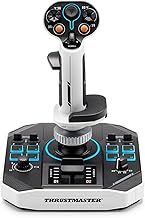
Thrustmaster Sol-R 1 Flightstick - The joystick for combat a

ManbaOne Multi-Platform Gaming Controller for PC,Switch 2,Sw
Disclaimer: This article has been generated through our AI content insight system and is intended for general informational purposes only. Please carry out your own research and review product details directly before making any purchase decisions.