Experience the Skies with the Turtle Beach VelocityOne Flightstick Universal Simulation Controller
Our Product Insight
If you’re a flight simulation enthusiast, you know that the right controller can make all the difference in your gaming experience. The Turtle Beach VelocityOne Flightstick is designed to elevate your gameplay on Xbox Series X/S, Xbox One, and PC with Windows 10/11. This universal simulation controller aims to provide a realistic and immersive flying experience, whether you’re soaring through the clouds in a fighter jet or navigating a commercial airliner.
The VelocityOne Flightstick combines advanced technology with user-friendly features, making it suitable for both seasoned pilots and newcomers to the flight simulation genre. Let’s dive deeper into what makes this controller a noteworthy addition to your gaming setup.
Key Features
Ergonomic Design
One of the standout features of the VelocityOne Flightstick is its ergonomic design. The controller is crafted to fit comfortably in your hands, allowing for extended gaming sessions without discomfort. The layout is intuitive, ensuring that you can easily access all controls without losing focus on your virtual flight.
Versatile Compatibility
This controller is not just limited to one platform. The VelocityOne Flightstick is compatible with Xbox Series X/S, Xbox One, and PC running Windows 10/11. This versatility means you can switch between platforms seamlessly, making it a great investment for gamers who enjoy multiple systems.
Customizable Controls
Customization is key in flight simulation, and the VelocityOne Flightstick delivers. You can easily remap buttons and adjust sensitivity settings to suit your flying style. This means whether you prefer a more sensitive joystick for quick maneuvers or a more stable setup for precision flying, you can tailor the controller to your liking.
Realistic Flight Experience
With features like a dual throttle control, programmable buttons, and multi-function display, the VelocityOne Flightstick aims to replicate the feel of flying a real aircraft. The dual throttle control allows for more nuanced control over your aircraft’s speed, while the programmable buttons can be set for various functions, enhancing your overall experience.
Built-in Audio Controls
Another impressive feature is the built-in audio controls. You can connect your headset directly to the controller, allowing for easy communication with your team or immersive sound effects without needing to adjust settings on your console or PC. This feature is particularly beneficial for multiplayer flight simulations where communication is key.
Who It's For
The Turtle Beach VelocityOne Flightstick is perfect for a wide range of users. If you’re a flight simulation veteran, you’ll appreciate the level of control and realism this controller offers. Its customizable features and ergonomic design make it suitable for long gaming sessions, allowing you to focus on your flying skills rather than the discomfort of your controller.
For newcomers to flight simulation, this controller is also a great choice. Its user-friendly layout and compatibility with multiple platforms mean you can easily jump into the world of flight simulation without feeling overwhelmed. Plus, the realistic features will help you learn the ropes of flying in a fun and engaging way.
Considerations
While the VelocityOne Flightstick has many appealing features, it’s important to note a few considerations. Some users may find the learning curve a bit steep if they are entirely new to flight simulation. Additionally, the size of the controller may not be ideal for everyone, especially if you have limited desk space.
Moreover, while the customizable controls are a great asset, it may take some time to set everything up to your liking. Patience is key when configuring your controller to ensure it meets your specific flying needs.
In summary, the Turtle Beach VelocityOne Flightstick Universal Simulation Controller is a well-rounded option for anyone looking to enhance their flight simulation experience. With its ergonomic design, versatile compatibility, and realistic features, it caters to both seasoned pilots and newcomers alike. Whether you’re navigating through challenging skies or engaging in multiplayer missions, this controller is designed to help you take your flight simulation to new heights. So, if you’re ready to elevate your gaming experience, check current price and consider adding the VelocityOne Flightstick to your setup today!
If you're looking for an upgraded gaming experience, consider the ARCELI Wireless Controller for PS-4, which features dual vibration and a touch panel for immersive gameplay. For a versatile option that works across multiple platforms, the EasySMX X20 Wireless PC Controller offers customizable RGB lighting and responsive mechanical buttons. Enhance your flight simulation setup with the Schneider Electric Harmony XB4 joystick controller, designed for precise control and durability with its spring return feature. The Engineerkiter Flight Overhead Panel is a fantastic addition for serious flight simulation enthusiasts, providing a plug-and-play multi-function control that integrates seamlessly with Windows. Lastly, the WINWING URSA MINOR Fighter Joystick R is perfect for those who fly in DCS, X-Plane, or MSFS2020, delivering exceptional realism and control in your virtual cockpit. Check out the EasySMX X20 Wireless PC Controller with 7 Light Colours RGB/Hall Joystick Trigger, Mechanical Buttons, Bluetooth Gamepad for PC/Switch/Android/iOS/Ste for great value. Check out the Schneider Electric, joystick controller, Harmony XB4, metal, 22 mm, 2 directions, spring return, 1NO per direction for great value. Check out the Engineerkiter Flight Overhead Panel Panel Compatible with Flight Simulation Games on the Windows Platform, Plug-and-Play Multi-Function Control and Di for great value. Check out the WINWING URSA MINOR Fighter Joystick R Compatible with DCS X-Plane MSFS2020 for great value.
More Products You Might Like

Jeylly Original 3D Analog Joystick Joy-Con Replacement Left/

Thrustmaster T.Flight Hotas 4 - High-Precision Flight Stick
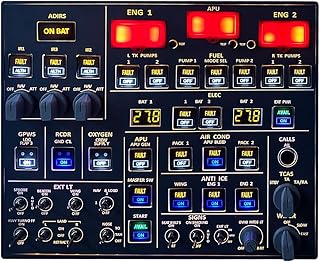
Torquino Flight Simulator Cockpit Panels, A107 A32X Simulato

Logitech G X56 H.O.T.A.S Throttle and Joystick Flight Simula

4 Pack Joysticks for Xbox One S/X Joysticks Replacement for
Disclaimer: This article has been generated through our AI content insight system and is intended for general informational purposes only. Please carry out your own research and review product details directly before making any purchase decisions.